Spaces, columns, and drag-and-drop cards — plus recurring tasks that spawn on schedule and due-date alerts you can answer from Telegram. One dark page, zero noise.
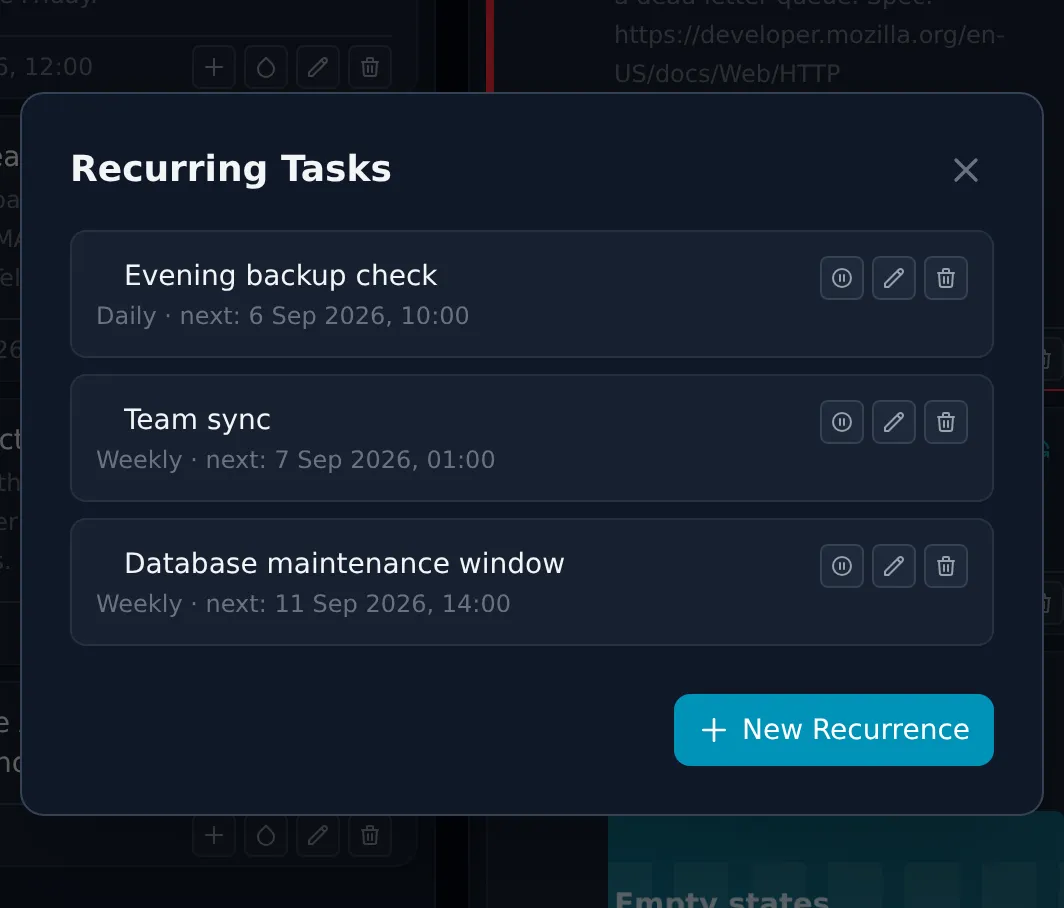
A recurrence is a blueprint, not a pile of cards. Daily, weekly, or monthly with any interval, an optional time of day, and a rule for what happens when you miss one.
Miss a slot and it moves on — no wall of retroactive cards to clean up.
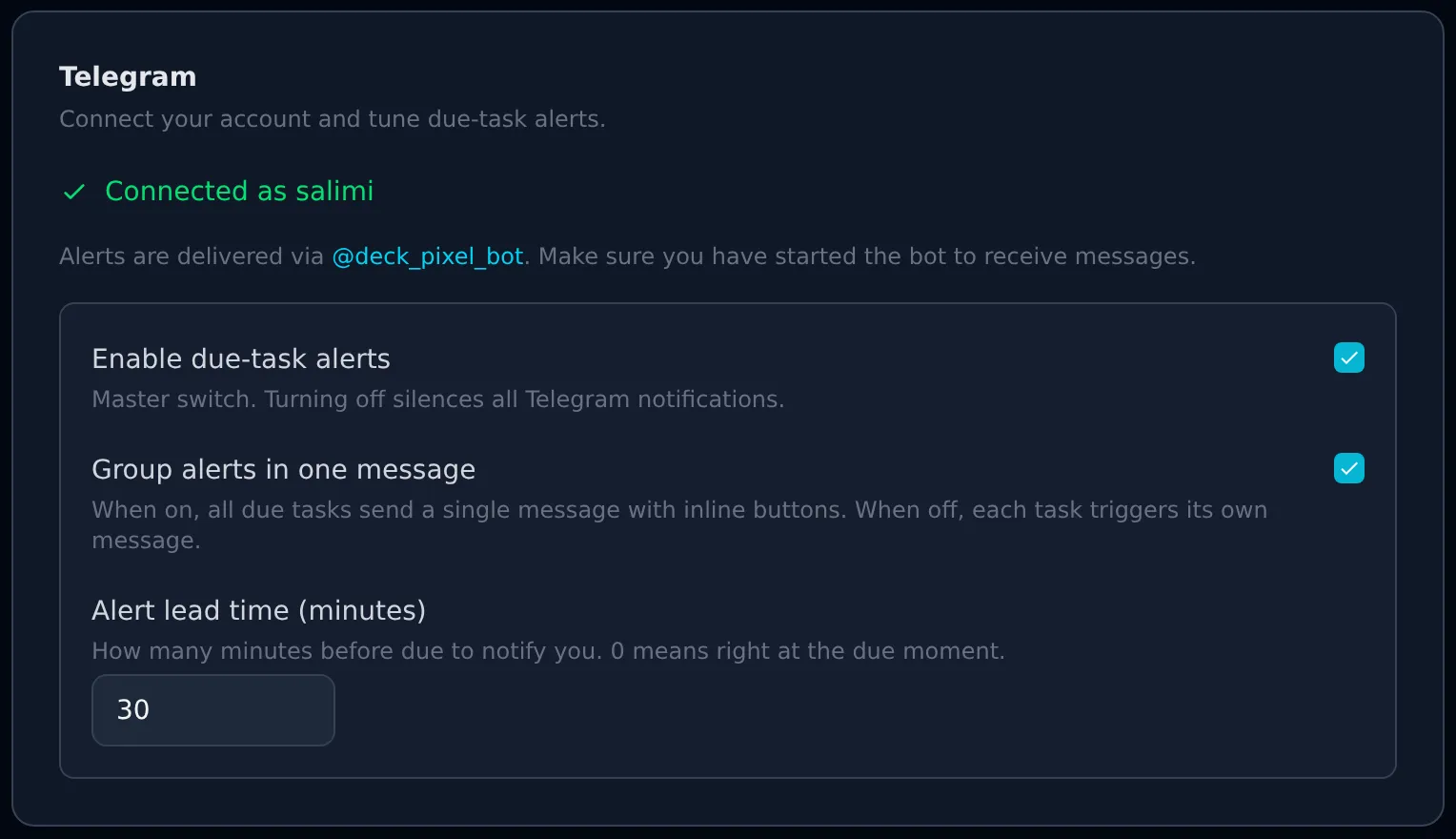
Link your account and Deck sends an alert a configurable number of minutes before a task is due. Answer it without opening the app: mark done, snooze, or dismiss — straight from the chat.
Digest or per-task
One grouped message, or one per task. Your call.
Inline actions
Buttons write back through a webhook. No app switch.
Custom lead time
Alert 10 minutes out, or two hours. Per user.
Log in with Telegram
HMAC-verified login widget, or email and password.
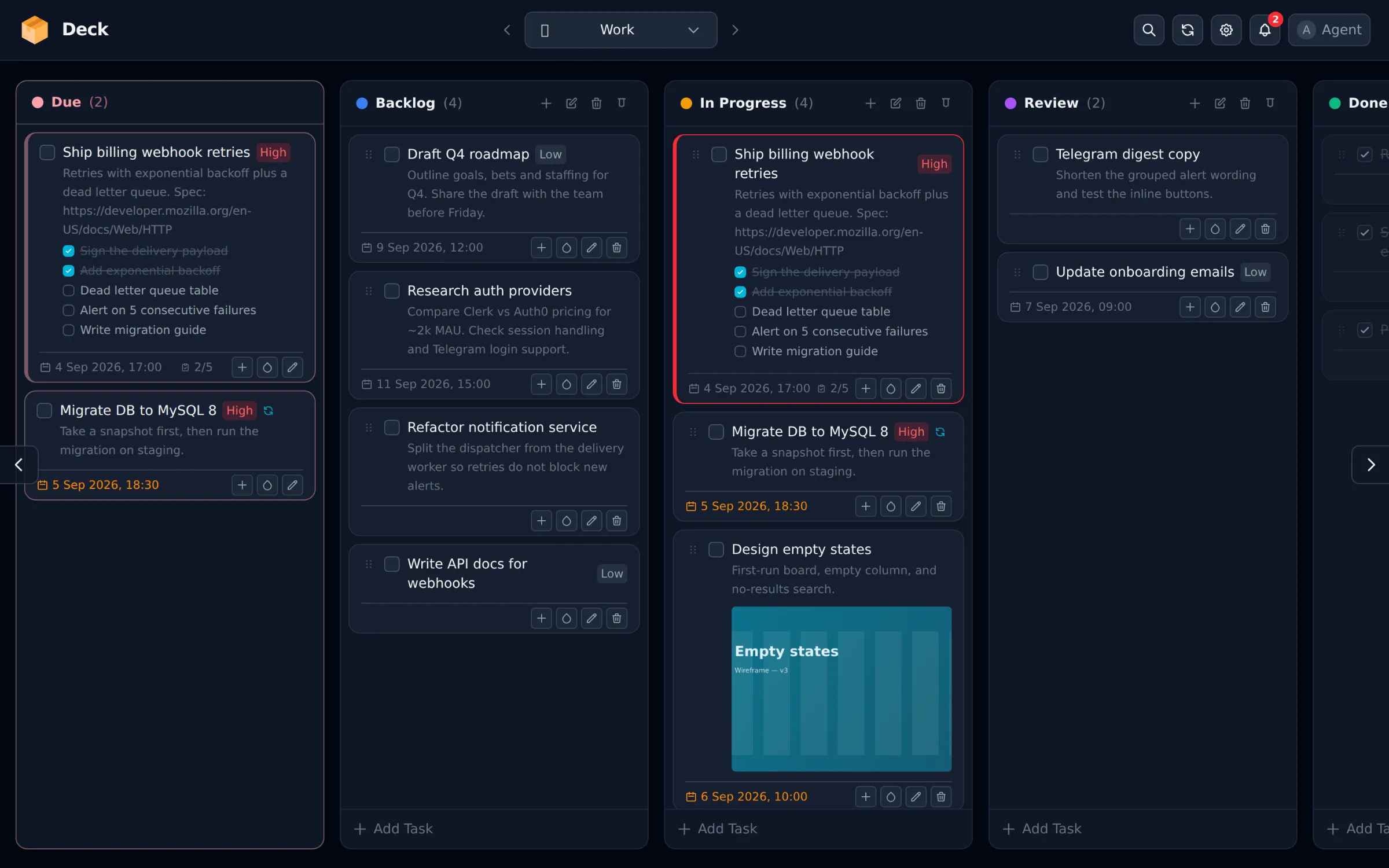
Find any task across every space in a keystroke. Titles and descriptions, jump straight to the card.
Tick items in place, drag to reorder, and watch the progress bar on the card.
3 of 5 done
Overdue cards get a red edge, due-today turns amber, and a bell in the header beeps when something lands.
Paste from the clipboard or pick a file. Images are re-encoded and thumbnailed on the card.
Every shortcut you'd want, none you have to memorise — press ? anywhere for the list.
Hold-to-drag reordering with a haptic nudge, so scrolling stays scrolling.
Make an account and your board is ready in seconds — one space, a few columns, and you're off.